Now with AI Receipt Scanner

Track Money.
No Ads. Log Fast.

Log any transaction in 3 taps. Works offline. No annoying ads ever. Built by someone who was just as frustrated with every other expense app.

โฌ‡ Download Free See Features

Free forever ยท No credit card ยท iOS only

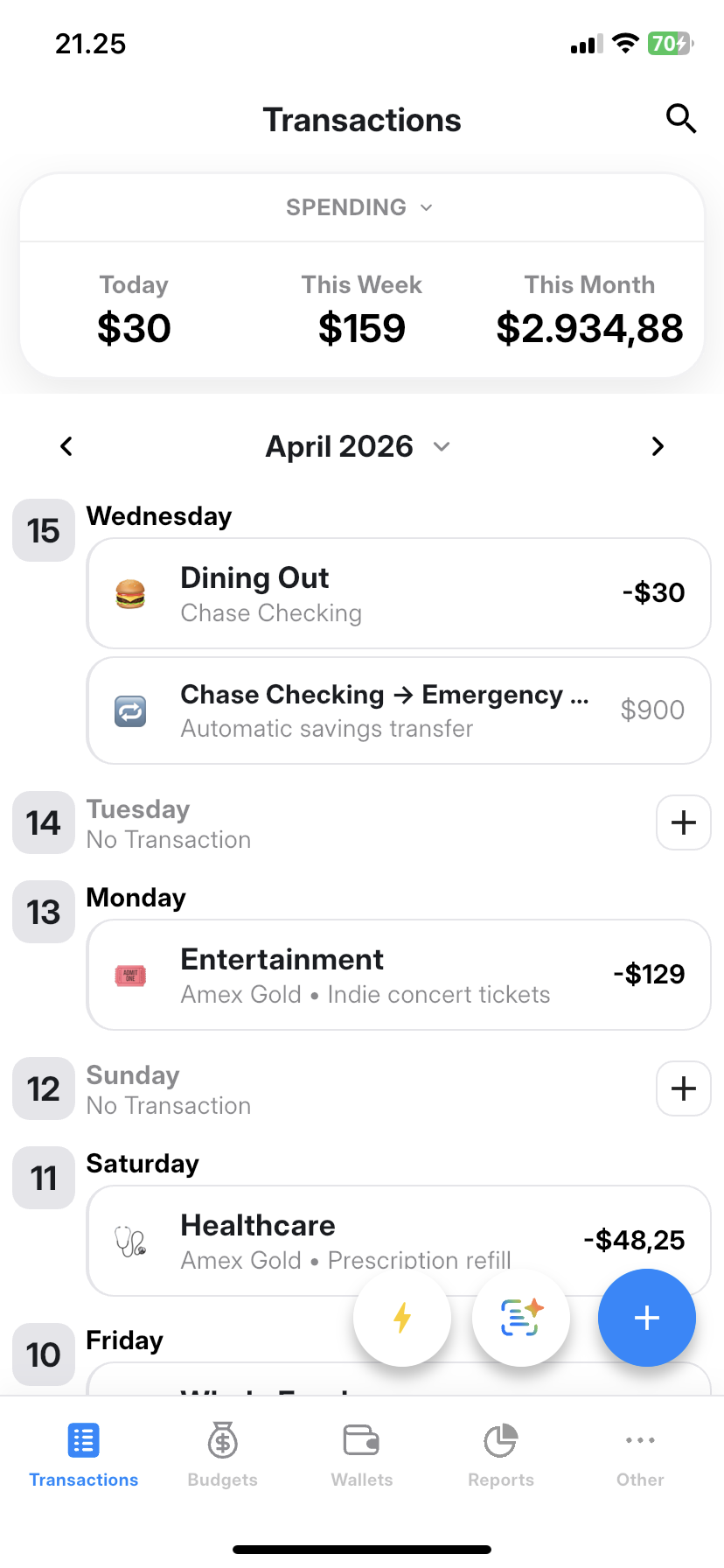
Moimoney Home Screen
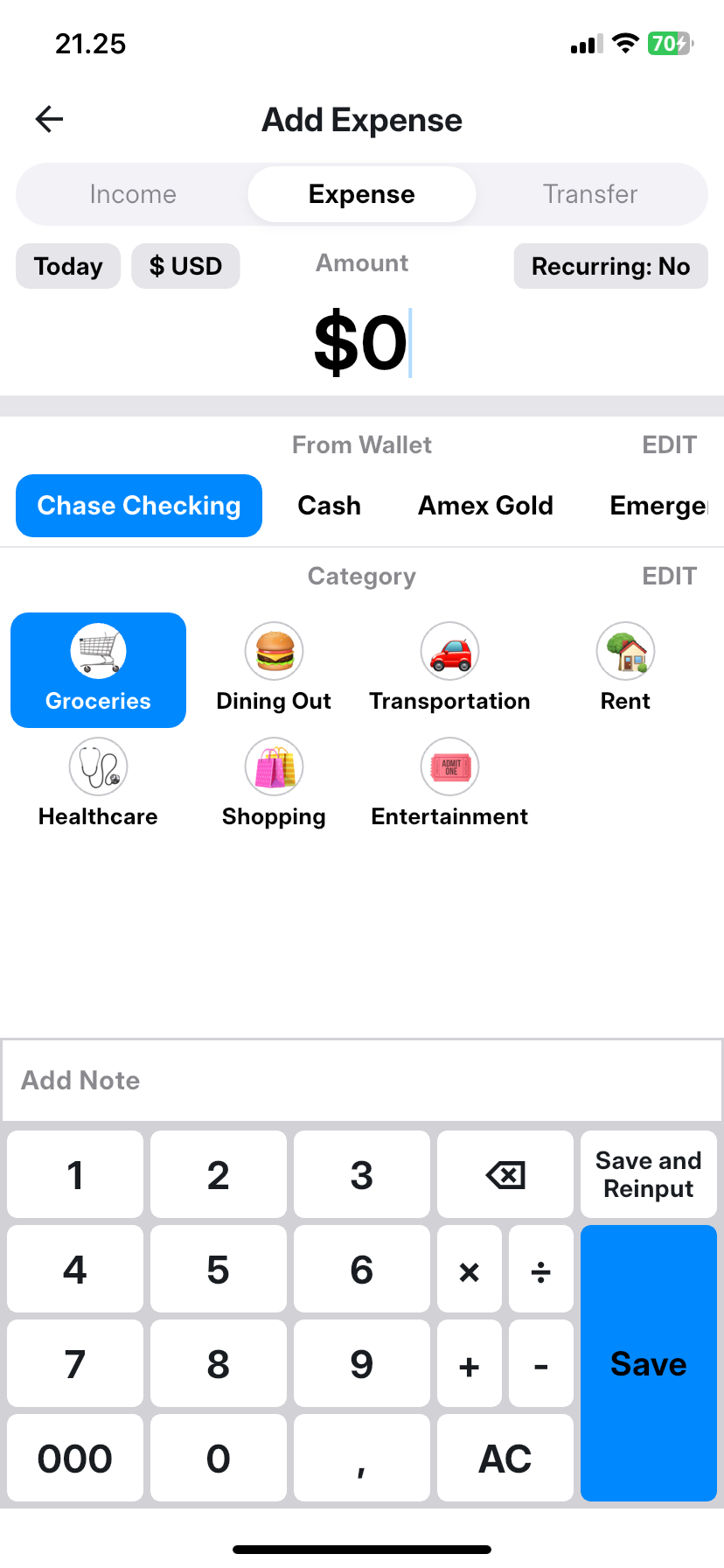
Add Transaction
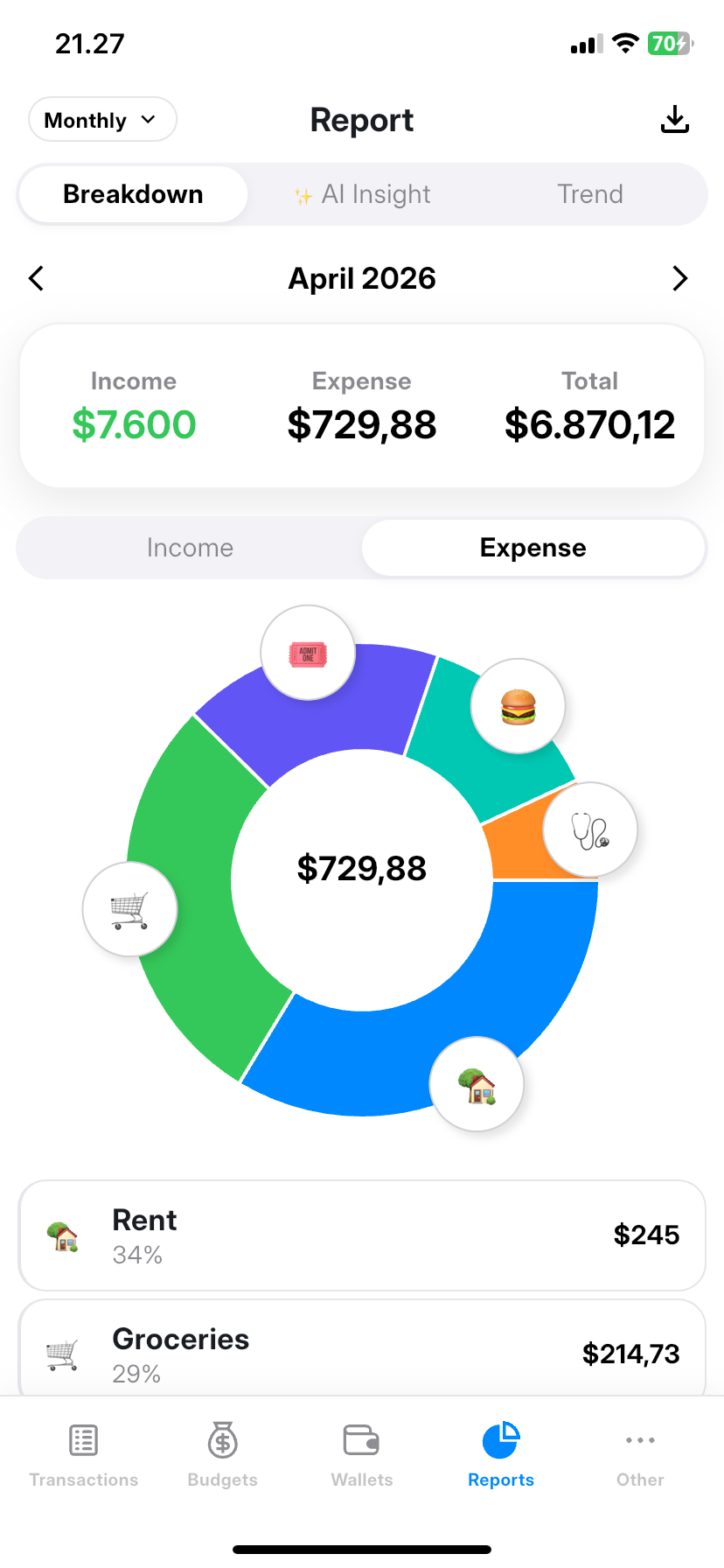
Smart Reports
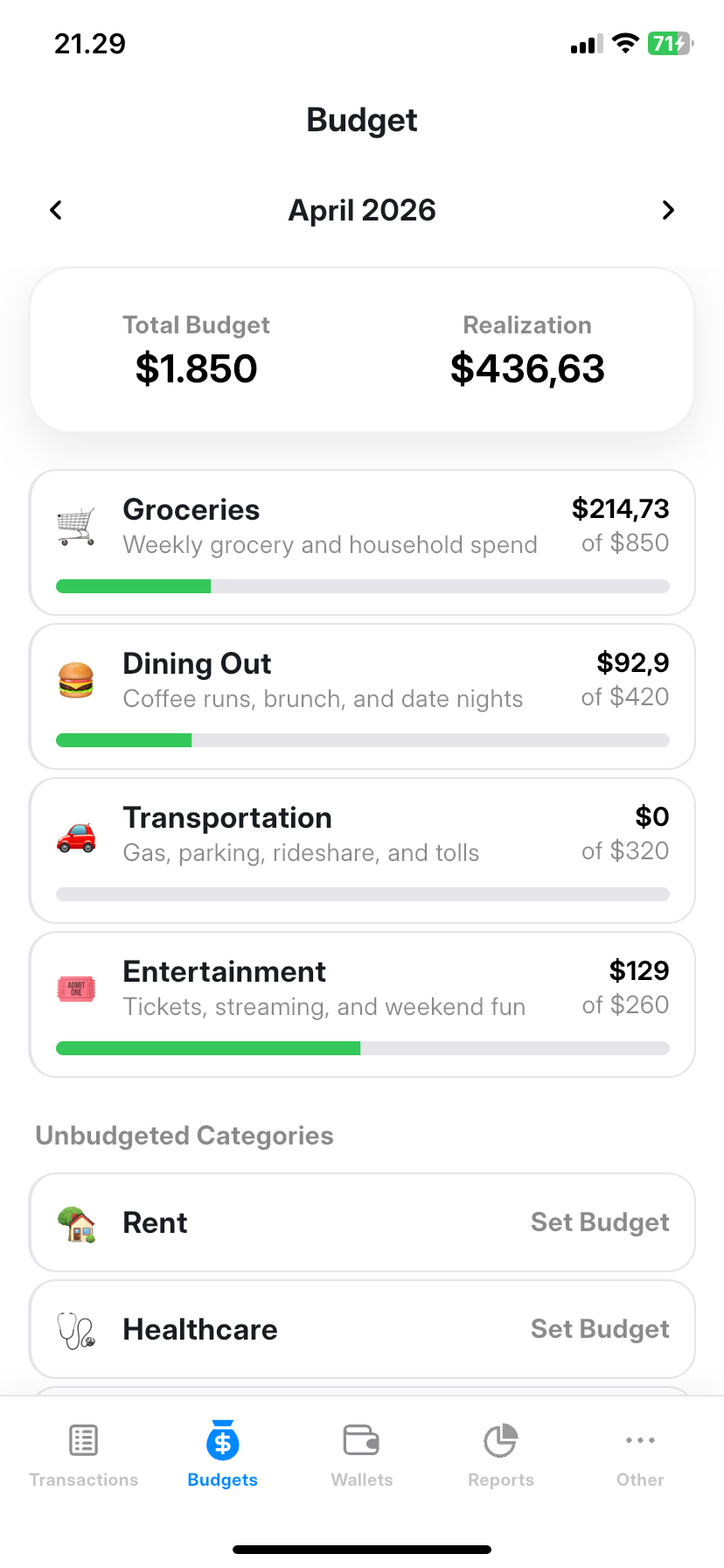
Budget Screen
Receipt Scanner

Available on

App Store
The Problem

Every other expense app
made me want to quit.

These are the exact pain points that made me build Moimoney from scratch.

๐Ÿ˜ค Before
Logging a transaction took 7+ taps and an ad break. I just gave up halfway.
โœ… After
3 taps. Amount โ†’ Category โ†’ Save. That's it. No ads. No friction.
๐Ÿ˜ค Before
Switched phones and lost all my financial history. No sync, no backup.
โœ… After
Cloud sync across all your devices. Works offline, syncs when you're back online.
๐Ÿ˜ค Before
Forgot to log transactions for 3 days. No way to bulk input past dates.
โœ… After
Every date on the home screen has a + button. Catch up anytime, any date.
๐Ÿ˜ค Before
Had a subcategory, wanted to assign it to the parent. Couldn't. App forced me to pick a child.
โœ… After
Parent categories are selectable even if they have children. Your choice, always.
Features

Everything you need.
Nothing you don't.

Built around the things that actually matter for daily financial tracking.

๐Ÿ“ก

Offline-First

Log transactions anywhere, even without internet. Data syncs automatically when you're back online.

๐Ÿšซ

Zero Ads. Forever.

No ads in free tier, no ads in Pro. Not even a banner. Your data, your focus, your money.

๐Ÿค–

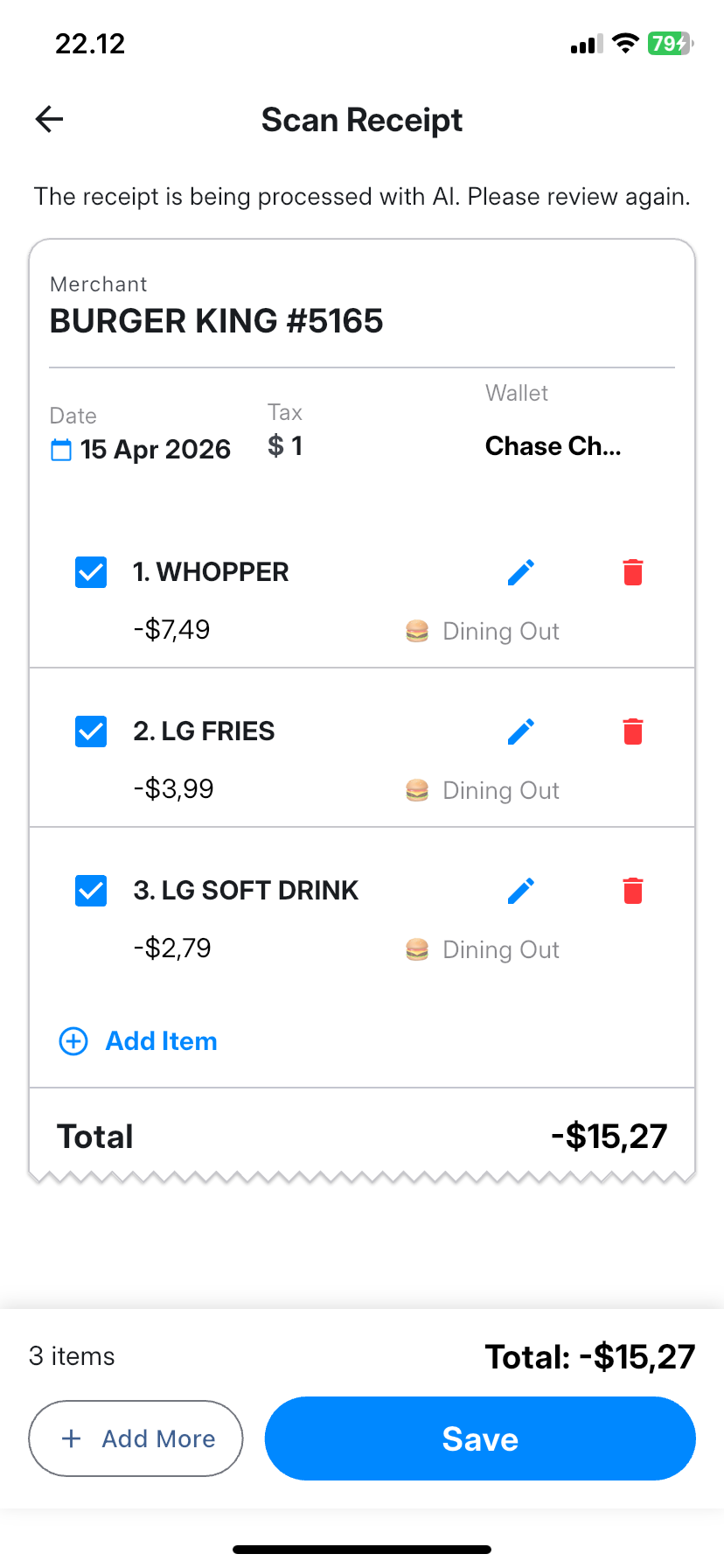
AI Receipt Scanner

Snap a receipt or statement PDF and let AI auto-fill your transaction. Powered by Google Gemini.

๐Ÿ“Š

Smart Reports

Weekly, monthly, and yearly breakdowns with trends, money flow, and AI-powered financial insights.

๐Ÿ”„

Multi-Device Sync

Share with your partner, use on tablet and phone. Data stays in sync automatically across devices.

๐Ÿฆ

Multi-Wallet

Track cash, bank accounts, e-wallets, and crypto separately. Even supports transfer between wallets.

๐ŸŒ

9 Languages

Available in EN, ID, ES, PT-BR, HI, VI, DE, FR, and AR with full localization support.

Log a transaction in under 10 seconds.

We timed it. It's actually faster once you get used to it.

01
One tap

Tap the + button

Hit the add button โ€” bottom right, always accessible. No digging through menus. Every date on the home page also has its own + if you want to log a past transaction.

02
Type it out

Enter amount & pick category

Type the amount (with a built-in calculator keyboard), pick your category, add a note if you want. That's optional, by the way.

03
Done

Save (or save & add more)

Hit save and you're done. Or hit "Save & Add" to bulk-log multiple transactions in a row. Syncs to cloud automatically if you're Pro.

AI Features

Your receipts, handled.

Scan receipts and monthly statements. AI extracts and logs transactions for you.

๐Ÿงพ

Receipt Scanner

Snap a photo of any receipt or upload a PDF statement. AI reads it and fills in your transaction.

5x free lifetime ยท Unlimited with Pro
๐Ÿ’ก

AI Financial Insight

Monthly, weekly, and yearly reports come with AI-generated insights based on your spending patterns.

5x free lifetime ยท Ongoing with Pro
๐Ÿ”’

Privacy-First

Powered by Google Gemini API. Your data is not used for AI training by default. Consent required before any AI processing.

Explicit consent required
๐Ÿ“‹

Smart Categorization

AI suggests the right category based on merchant name and transaction type, so you spend less time deciding.

Included with scan
Reviews

People actually use it.

Honest reviews from users who were tired of the same old expense apps.

โ˜…โ˜…โ˜…โ˜…โ˜…

"Finally an expense app with no ads. I used to close three apps mid-logging because an ad appeared. Not here. Logged 40+ transactions this month."

R
Rizal A.
iOS user
โ˜…โ˜…โ˜…โ˜…โ˜…

"My wife and I share one Pro account. Syncs instantly between our phones. The receipt scanner is wild โ€” scanned a grocery receipt and it logged everything automatically."

D
David K.
iOS user ยท Pro
โ˜…โ˜…โ˜…โ˜…โ˜…

"The offline-first approach is everything. I'm often in areas with no signal and I can still log every transaction. Syncs perfectly when I get back online."

S
Siti N.
Android user ยท Pro

Common questions.

Yes. The free tier is genuinely ad-free, permanently. We don't sell ads, we don't show ads, and we never will. Revenue comes from Pro subscriptions only.

Your data stays on your device. Cloud sync pauses, but nothing gets deleted. You can export everything to PDF or CSV at any time, even on the free tier.

Multi-device sync is a Pro feature. With Pro, you can log in on your phone, tablet, or share with a partner โ€” all data syncs in real time through our cloud backend.

It works with most receipts and PDF bank statements (non-password-protected). It's powered by Google Gemini AI. Free users get 5 lifetime scans after signing in. Pro users get 100 scans per month.

Yes, fully. Moimoney is offline-first. All your data is stored locally on your device first. Cloud sync kicks in automatically when you reconnect. You'll never lose a transaction due to bad signal.

We only collect crash logs and technical metadata for debugging (via Firebase Crashlytics). We do not collect, sell, or analyze your transaction data. AI features require explicit consent before any data is sent.

Start tracking today.
It takes 30 seconds.

Download free, log your first transaction in 3 taps, and see why this is the expense app you'll actually stick with.

โฌ‡ Download Free Got questions?